
Collection: Thermal Labels | Direct Thermal & Thermal Transfer Labels
Print clear barcodes, shipping labels, inventory tags and warehouse identification with thermal labels from Gpack Supplies. This collection includes direct thermal labels, thermal transfer labels, colored shipping labels, barcode-label rolls, thermal ribbons and compatible printing supplies for commercial labeling operations.
Choose from multiple label sizes, including popular 4" x 6" shipping labels, compact barcode formats and colored labels in white, yellow, orange, green and blue. Available roll configurations include 1-inch and 3-inch cores for compatible desktop and industrial thermal printers.
Direct thermal labels print without ink or ribbon and are suitable for shipping, fulfillment and short-to-medium-term identification. Thermal transfer labels use a ribbon to produce more durable printing for inventory, product identification, warehouse racks and applications requiring greater resistance to abrasion and handling.
Local pickup and fast delivery options available in Miami and Broward.

-
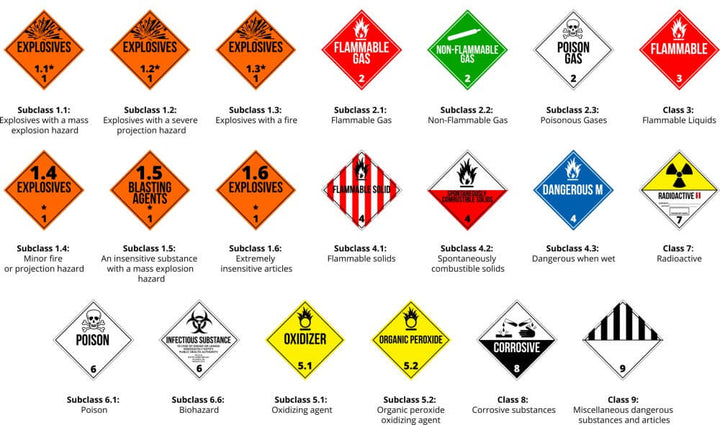
DOT Hazmat Placards 25/pack
Regular price $25.00 USDRegular price -
Shipping and Hazardous Labels
Regular price From $17.00 USDRegular price -
Shipping Fragile Labels Please Handle with Care – 3 x 5 – 500 Labels Roll
Regular price $17.00 USDRegular price -
Shipping Labels This Side Up Two Arrows – 3 x 5 – 500 Labels Roll
Regular price $19.00 USDRegular price -
Shipping Labels Caution This Side Up – 3 x 5 – 500 Labels Roll
Regular price $19.00 USDRegular price -
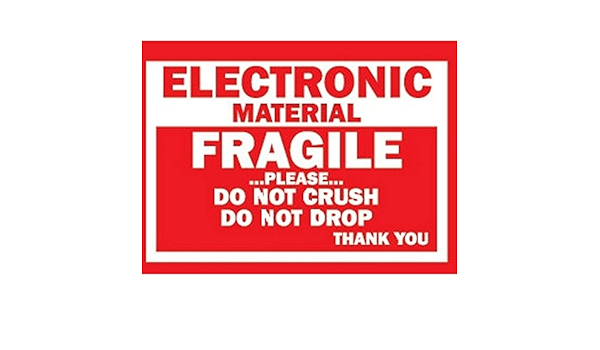
Fragile Labels Electronic Material – 3 x 5 – 500 Labels Roll
Regular price $19.00 USDRegular price -
Shipping Labels Do Not Stack – 3 x 5 – 500 Labels Roll
Regular price $19.00 USDRegular price -
Shipping Labels Please Handle with Care Glass – 3 x 5 – 500 Labels Roll
Regular price $19.00 USDRegular price -
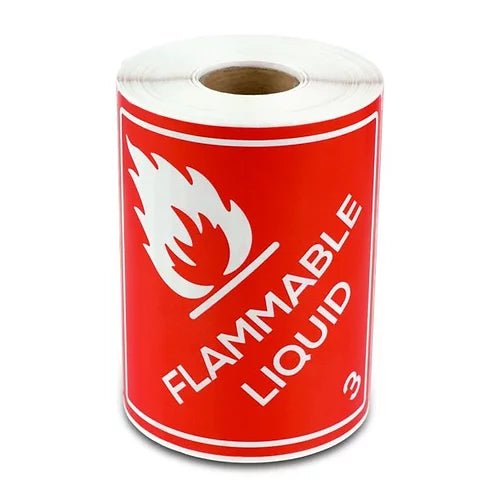
Hazardous Labels Class 3 Flammable Liquid – 4 x 4 – 500 Labels Roll
Regular price $23.00 USDRegular price -
Shipping Labels Refrigerate Upon Arrival – 3 x 5 – Green – 500 Labels Roll
Regular price $19.00 USDRegular price -
Do Not Separate Labels – 1 x 2 – 500 Stickers per Roll – High-Visibility
Regular price $3.00 USDRegular price -
Hazardous Labels Lithium Battery UN3090 – 4.7 x 4.3 – 500 Labels Roll
Regular price $27.00 USDRegular price -
Hazardous Labels Lithium Battery UN3091 – 4.7 x 4.3 – 500 Labels Roll
Regular price $27.00 USDRegular price -
Lithium Battery Labels UN3480 – 4.7 x 4.3 – 500 Roll
Regular price $27.00 USDRegular price -
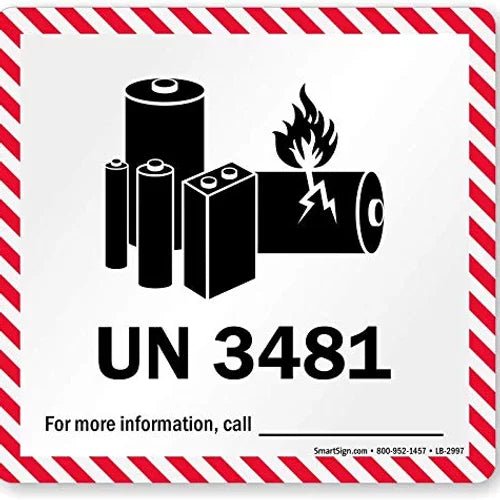
Lithium Battery Labels UN3481 – 4.7 x 4.3 – 500 Roll
Regular price $27.00 USDRegular price -
Hazardous Labels Class 6 Toxic – 4 x 4 – 500 Labels Roll
Regular price $21.00 USDRegular price -
Hazardous Labels Class 8 Corrosive – 4 x 4 – 500 Labels Roll
Regular price $21.00 USDRegular price -
Hazardous Labels Class 9 Miscellaneous – 4 x 4 – 500 Labels Roll
Regular price $21.00 USDRegular price -
Hazardous Labels Limited Quantity Y – 4 x 4 – 500 Labels Roll
Regular price $21.00 USDRegular price -
Hazardous Labels Class 4 Flammable Solid – 4 x 4 – 500 Labels Roll
Regular price $23.00 USDRegular price -
Direct Thermal Labels – 2 x 1 – White – 12 Rolls – 1 Core
Regular price $55.00 USDRegular price -
Direct Thermal Labels – 2.25 x 1.25 – White – 12 Rolls – 1 Core
Regular price $55.00 USDRegular price -
Direct Thermal Labels – 2 x 2 – White – 12 Rolls – 1 Core
Regular price $55.00 USDRegular price -
Direct Thermal Labels – 4 x 3 – White – 16 Rolls
Regular price $85.00 USDRegular price








Thermal Labels for Shipping, Barcodes, Inventory and Warehouse Operations
Thermal labels provide fast, accurate and economical printing for shipping, barcode identification, warehouse inventory, product tracking, retail pricing and commercial fulfillment. They are designed for use with compatible thermal printers and eliminate many of the consumables required by traditional inkjet or laser systems.
Gpack Supplies offers a broad selection of direct thermal labels, thermal transfer labels, colored shipping labels, barcode-label rolls and thermal-transfer ribbons. Available products support e-commerce businesses, warehouses, distribution centers, manufacturers, retail stores, logistics companies and commercial shipping departments.
The collection includes compact labels for product identification and inventory, popular 4" x 6" shipping labels for parcel carriers, colored labels for warehouse coding and thermal-transfer materials for applications requiring more durable print.
Label compatibility depends on the printing method, label dimensions, roll core, outside roll diameter, adhesive, printer configuration and application surface. Always confirm the printer specifications before purchasing commercial quantities.
Thermal Label Products Available from Gpack Supplies
| Product Type | Printing Method | Best Applications |
|---|---|---|
| Direct thermal labels | Heat-sensitive coating; no ribbon required | Shipping labels, receipts, fulfillment, temporary inventory and parcel identification |
| Thermal transfer labels | Thermal-transfer ribbon required | Longer-term inventory, product labels, warehouse racks and industrial identification |
| Colored thermal labels | Direct thermal or transfer depending on SKU | Department coding, routes, priorities, inventory and special handling |
| Thermal-transfer ribbons | Wax, wax-resin or resin ribbon depending on application | Durable barcode and product printing with thermal-transfer printers |
| Thermal label printers | Direct thermal or thermal transfer | Shipping stations, warehouses, retail and inventory operations |
What Are Thermal Labels?
Thermal labels are pressure-sensitive labels designed to be printed with heat rather than liquid ink or toner. The printer creates text, barcodes and graphics by heating selected areas of the label or by transferring material from a ribbon onto the label surface.
Thermal printing is widely used because it is fast, reliable and suitable for high-volume commercial operations. Common applications include shipping labels, warehouse barcodes, product identification, retail pricing, inventory control and logistics documentation.
Thermal labels are available in different sizes, colors, adhesives, materials and roll configurations. The correct product must match both the printer and the intended environment.
Direct thermal and thermal transfer labels may appear similar, but they are not interchangeable in every printer or application.
Direct Thermal Labels
Direct thermal labels contain a heat-sensitive coating that darkens when it passes beneath the thermal printhead. This printing method does not require ink, toner or a separate ribbon.
Direct thermal labels are commonly used for parcel shipping, e-commerce fulfillment, warehouse picking, receipts, temporary product identification and applications with a short-to-medium service life.
Eliminating the ribbon reduces consumable inventory and simplifies printer loading. Direct thermal printing is therefore popular at high-volume shipping stations.
The heat-sensitive surface can darken or fade when exposed to excessive heat, sunlight, friction or certain chemicals. Direct thermal labels may not be the best option for long-term outdoor storage or harsh industrial environments.
Thermal Transfer Labels
Thermal transfer printing uses a heated printhead to transfer wax, wax-resin or resin material from a ribbon onto the label surface.
The resulting image is generally more durable than direct thermal printing and can resist handling, abrasion, light moisture and environmental exposure more effectively when the correct label and ribbon are selected.
Thermal transfer labels are commonly used for inventory tracking, product identification, warehouse racks, manufacturing, asset labels and applications that require a longer readable life.
The label material, ribbon formulation and printer settings must be compatible. An incorrect ribbon may produce weak print, smearing or poor barcode quality.
Direct Thermal vs. Thermal Transfer Labels
| Feature | Direct Thermal | Thermal Transfer |
|---|---|---|
| Ribbon required | No | Yes |
| Print durability | Short-to-medium term | Medium-to-long term |
| Heat sensitivity | Higher | Lower with compatible materials |
| Consumables | Labels only | Labels plus ribbon |
| Best use | Shipping, receipts and temporary tracking | Inventory, manufacturing and durable identification |
4 x 6 Thermal Shipping Labels
Four-inch by six-inch thermal labels are one of the most common formats for parcel shipping and e-commerce fulfillment. The size provides sufficient space for addresses, carrier barcodes, tracking numbers, routing information and service markings.
These labels are commonly used for UPS, USPS, FedEx and other carrier shipments when the printer and shipping software are configured for the correct dimensions.
Gpack Supplies offers 4" x 6" labels in multiple roll and core configurations, including white and colored options.
Always confirm whether the printer uses direct thermal or thermal transfer media and whether it accepts a 1-inch or 3-inch roll core.
Common Thermal Label Sizes
| Label Size | Typical Applications |
|---|---|
| 2" x 1" | Small barcodes, inventory bins, parts and product identification |
| 2.25" x 1.25" | Retail pricing, product labels and compact barcodes |
| 2" x 2" | Square inventory labels, QR codes and product identification |
| 4" x 3" | Warehouse, shipping, carton and inventory labels |
| 4" x 5" | Shipping, pallet, product and logistics identification |
| 4" x 6" | Standard parcel shipping and carrier labels |
White Thermal Labels
White thermal labels provide maximum contrast for black text and barcodes. They are the standard choice for parcel shipping, warehouse inventory, product identification and general commercial labeling.
High contrast helps barcode scanners read tracking and inventory information accurately when print density and label quality are properly configured.
White labels also provide a clean background for logos, addresses, handling information and human-readable text.
Apply labels to clean, dry and relatively flat surfaces for the strongest adhesive contact.
Colored Thermal Labels
Colored thermal labels combine printed information with visual identification. Available colors in this collection include yellow, orange, green and blue, depending on size and roll configuration.
Warehouses may use color to identify routes, departments, customers, shipment priorities, inspection status or inventory classifications.
A written color-coding system should be established so employees interpret each color consistently.
Colored labels should not replace required hazardous-material labels, transportation markings, regulatory notices or carrier barcodes.
Common Uses for Colored Thermal Labels
| Label Color | Possible Internal Use |
|---|---|
| Yellow | Caution, inspection, pending or special-handling orders |
| Orange | Priority, rush, exception or outbound routing |
| Green | Approved, completed, inspected or released inventory |
| Blue | Department, destination, customer or route classification |
Understanding Label Roll Cores
The roll core is the cardboard or plastic tube in the center of the label roll. Common thermal-label core sizes include 1 inch and 3 inches.
Desktop printers commonly accept smaller rolls with 1-inch cores. Industrial printers often use larger rolls with 3-inch cores for extended production runs.
Core size alone does not determine compatibility. The printer must also accommodate the roll width and outside diameter.
A roll that is too large may not fit inside the printer or may interfere with the media guides and cover.
1-Inch Core vs. 3-Inch Core Thermal Labels
| Feature | 1-Inch Core | 3-Inch Core |
|---|---|---|
| Typical printer | Desktop thermal printer | Industrial or high-capacity printer |
| Roll size | Smaller | Larger |
| Label capacity | Lower | Higher |
| Best use | Small and medium shipping stations | High-volume warehouses and manufacturing |
Thermal Label Adhesives
The adhesive determines how the label bonds to corrugated boxes, poly mailers, plastic containers, metal, glass and other compatible surfaces.
Permanent Adhesive
Permanent labels are designed to remain attached during shipping, storage and ordinary handling. They are commonly used for parcel labels, inventory and product identification.
Removable Adhesive
Removable labels can be peeled away more cleanly from selected surfaces and are useful for temporary pricing, bins and reusable containers.
Freezer-Grade Adhesive
Freezer-grade labels are designed for low-temperature applications when applied according to the product specifications.
Adhesive performance depends on application temperature, service temperature, surface energy, moisture, dust and label pressure.
How to Choose the Correct Thermal Labels
Identify the Printing Method
Confirm whether the printer operates in direct thermal, thermal transfer or both modes.
Select the Correct Label Size
Match the dimensions to the shipping software, barcode layout, product and printer width.
Confirm the Core Size
Verify whether the printer accepts a 1-inch core, 3-inch core or fan-fold media.
Check the Maximum Roll Diameter
A roll may have the correct width and core but still be too large for the printer housing.
Review Label Life
Choose direct thermal for shorter-term uses and thermal transfer for longer-lasting identification.
Consider the Application Surface
Corrugated boxes, poly mailers, plastic containers and cold surfaces can require different adhesives.
Evaluate Environmental Conditions
Heat, sunlight, moisture, abrasion, chemicals and freezer exposure affect label performance.
How to Test Direct Thermal Labels
A simple scratch test can help identify direct thermal media. Scratch the label surface firmly with a fingernail or blunt object.
If the surface darkens from friction, it is likely direct thermal material.
This test is not a substitute for checking the product specifications, but it can help prevent loading the wrong media into a printer.
Thermal transfer labels generally do not darken significantly from an ordinary scratch because they require ribbon material to create the image.
Thermal-Transfer Ribbons
Thermal-transfer ribbons contain ink or resin material carried on a thin film. The printhead melts this material onto the label surface.
Ribbon selection affects darkness, durability, abrasion resistance and compatibility with paper or synthetic labels.
Wax Ribbons
Wax ribbons are economical and suitable for many coated and uncoated paper labels used indoors.
Wax-Resin Ribbons
Wax-resin ribbons provide greater durability and resistance than standard wax for demanding warehouse and product applications.
Resin Ribbons
Resin ribbons are designed for durable synthetic labels that may encounter chemicals, moisture and abrasion.
How to Match a Ribbon to a Thermal Transfer Label
- Confirm that the printer supports thermal-transfer printing.
- Identify the label material as paper or synthetic.
- Select wax, wax-resin or resin according to the required durability.
- Confirm ribbon width is equal to or slightly wider than the label.
- Verify ribbon length and core compatibility.
- Confirm whether the printer requires coated-side-in or coated-side-out ribbon.
- Test print density and speed on representative labels.
- Scan barcodes and inspect resistance to rubbing.
Thermal Printer Compatibility
Thermal labels may be compatible with printers from Zebra, Rollo, Honeywell, TSC, Sato, Datamax, Brother, Dymo and other manufacturers when the media specifications match.
Brand compatibility should never be assumed based only on label width. Printers differ in media sensing, core size, roll diameter, print technology and maximum printable area.
Some printers require gaps between labels, while others use black marks, notches or continuous media.
Review the printer manual or existing label specifications before changing label formats.
Gap, Black-Mark and Continuous Thermal Labels
Gap Labels
Gap labels have a small open space between each label. The printer sensor detects the gap and positions the next label.
Black-Mark Labels
Black-mark media uses a printed mark on the liner or back of the label to control positioning.
Continuous Labels
Continuous media has no pre-cut label length. The printer cuts or advances material according to the software settings.
The printer sensor setting must match the media construction to prevent skipped labels and alignment errors.
Thermal Labels for E-Commerce Fulfillment
E-commerce operations use thermal labels to process orders quickly without waiting for ink to dry or replacing toner cartridges.
Four-by-six shipping labels can be printed directly from carrier platforms, Shopify integrations, warehouse systems and shipping software.
Standardizing label size and printer configuration across packing stations improves training and reduces printing errors.
Keep label rolls near each active station and use consistent printer settings for darkness, speed and media type.
Thermal Labels for Warehouses and Distribution Centers
Warehouses use thermal labels for receiving, bin locations, rack identification, pallet labels, inventory, picking, returns and outbound shipping.
Small labels can identify individual products and parts, while larger labels provide space for barcodes and routing information.
Colored labels can separate departments, order status and warehouse zones.
Long-term rack and inventory identification may require thermal transfer printing and durable label materials.
Thermal Labels for Manufacturing
Manufacturers use thermal labels for work-in-process tracking, components, serial numbers, product identification, cartons and finished goods.
Thermal transfer printing is often selected when labels must remain readable through extended storage, handling or industrial environments.
Synthetic labels and resin ribbons may be required for exposure to chemicals, oils, abrasion or moisture.
Test the label on the actual product surface and under representative operating conditions.
Thermal Labels for Retail and Inventory
Retail businesses use thermal labels for pricing, product identification, barcodes, shelves, inventory bins and order fulfillment.
Compact label sizes are useful for small packages and merchandise where a 4" x 6" shipping label would be too large.
Removable adhesives may be appropriate for temporary pricing or reusable containers.
Confirm that the adhesive will not damage product packaging before full application.
How to Load a Thermal Label Roll
- Turn off or pause the printer according to its instructions.
- Open the printer cover.
- Remove the empty roll and liner.
- Confirm that the new roll matches the printer specifications.
- Place the roll on the media holder in the correct direction.
- Guide the labels beneath the media guides.
- Adjust the guides without bending or squeezing the labels.
- Close the printer cover.
- Calibrate the media sensor if required.
- Print a test label and verify alignment.
How to Apply Thermal Shipping Labels
- Seal the package completely before labeling.
- Select a flat, clean and dry package surface.
- Avoid carton seams, tape edges and corners.
- Remove the label from the liner without touching the adhesive excessively.
- Position the label carefully before pressing it down.
- Apply pressure across the entire label.
- Remove wrinkles and air pockets.
- Confirm that the barcode remains flat and visible.
- Cover or remove old labels and barcodes.
- Scan the completed package when possible.
Barcode Print Quality
Barcode readability depends on print contrast, resolution, darkness, label quality and printer maintenance.
Excessive darkness can cause barcode lines to spread, while insufficient darkness can create faded or incomplete bars.
Print speed also affects image quality. Faster settings may reduce print density on certain materials.
Test labels with the same scanners used in the warehouse and verify carrier barcodes before shipment.
Common Thermal Label Printing Problems
Labels Print Blank
Direct thermal media may be loaded backward, or the printer may be configured for the wrong printing method.
Print Is Too Light
Increase print darkness gradually, reduce speed or inspect the printhead.
Print Is Too Dark
Excessive heat can cause barcodes to spread and become difficult to scan.
Printer Skips Labels
The media sensor may require calibration or may be configured for the wrong sensing method.
Labels Feed Sideways
Media guides may be too loose, the roll may be installed incorrectly or the labels may be unevenly wound.
Labels Jam Inside the Printer
Adhesive buildup, damaged liners, incorrect roll dimensions or misaligned guides can cause jams.
Barcodes Do Not Scan
Print density, resolution, barcode size, wrinkles or poor label contrast may be responsible.
Common Thermal Label Adhesion Problems
Label Lifts from Corrugated Boxes
Dust, recycled fibers, moisture or insufficient pressure can reduce adhesive contact.
Label Does Not Stick to Poly Mailers
The bag surface may be wrinkled, contaminated or made from a low-surface-energy plastic requiring a stronger adhesive.
Label Peels in Cold Storage
The adhesive may not be designed for the application or service temperature.
Label Wrinkles After Application
Apply the label to a flat area and avoid stretching flexible bags before labeling.
Label Falls Off During Shipping
The surface may have been dirty, damp or irregular, or the adhesive may be incompatible with the package.
Thermal Label Storage
Store thermal labels in a clean, dry and temperature-controlled warehouse area.
Keep rolls inside their original packaging until needed to protect the label surface and adhesive from dust, heat and sunlight.
Direct thermal labels are especially sensitive to heat and should not be stored near heaters, windows or hot equipment.
Avoid placing heavy merchandise on top of label cases because pressure can deform rolls, crush cores and damage label edges.
Rotate inventory so older rolls are used before newly delivered stock.
Thermal Printer Maintenance
Clean the printhead regularly using the method recommended by the printer manufacturer.
Adhesive residue, paper dust and ribbon material can accumulate and reduce print quality.
Inspect platen rollers, media sensors and label guides for contamination or damage.
Never scrape the printhead with sharp tools because the heating elements can be permanently damaged.
Replace worn components when print defects continue after cleaning and calibration.
Best Practices for Thermal Labels
- Confirm direct thermal or thermal transfer compatibility.
- Match the label width to the printer.
- Verify the roll core and outside diameter.
- Select the correct adhesive for the package surface.
- Use 4" x 6" labels for compatible parcel-shipping systems.
- Calibrate the printer after changing media.
- Adjust darkness and speed gradually.
- Keep barcodes flat and free from wrinkles.
- Apply labels to clean, dry surfaces.
- Cover all old labels and barcodes.
- Use thermal transfer for longer-lasting identification.
- Use colored labels according to a written system.
- Store rolls away from heat and sunlight.
- Clean printer components regularly.
- Test representative labels before ordering bulk quantities.
Industries That Use Thermal Labels
- E-commerce fulfillment centers
- Warehouses and distribution centers
- Manufacturing facilities
- Retail stores
- Food and beverage distributors
- Medical and pharmaceutical suppliers
- Automotive parts businesses
- Electronics companies
- Third-party logistics providers
- Courier and parcel operations
- Wholesale distributors
- Inventory and asset-management departments
- Shipping and receiving departments
- Import and export businesses
- Commercial labeling operations
Frequently Asked Questions About Thermal Labels
What types of thermal labels does Gpack Supplies offer?
Gpack Supplies offers direct thermal labels, thermal transfer labels, colored barcode labels, shipping labels and thermal-transfer ribbons.
What is a direct thermal label?
A direct thermal label has a heat-sensitive coating that prints without ink, toner or ribbon.
What is a thermal transfer label?
A thermal transfer label is printed using a heated ribbon that transfers an image onto the label surface.
What is the difference between direct thermal and thermal transfer?
Direct thermal uses heat-sensitive labels without a ribbon, while thermal transfer uses a ribbon for more durable printing.
Which label type is best for shipping labels?
Direct thermal labels are commonly used for parcel shipping and e-commerce fulfillment.
Which label type is better for long-term inventory?
Thermal transfer labels are generally better for longer-term identification and demanding environments.
What is the standard shipping-label size?
Four inches by six inches is the most common parcel-shipping label format.
Do 4 x 6 labels work with UPS, USPS and FedEx?
They are commonly used for these carriers when the shipping software and printer are configured correctly.
Do direct thermal labels require ink?
No. They print using heat from the thermal printhead.
Do direct thermal labels require a ribbon?
No. A ribbon is not required for direct thermal printing.
Do thermal transfer labels require a ribbon?
Yes. Thermal transfer printing requires a compatible ribbon.
What ribbon types are available?
Common ribbon types include wax, wax-resin and resin.
What is a wax ribbon used for?
Wax ribbons are commonly used with paper labels for general indoor identification.
What is a resin ribbon used for?
Resin ribbons are used with compatible synthetic labels for greater chemical, moisture and abrasion resistance.
What thermal-label colors are available?
Available colors include white, yellow, orange, green and blue, depending on the size and SKU.
What are colored thermal labels used for?
They can identify departments, routes, inventory classes, shipment priorities and warehouse status.
Can colored labels replace hazardous-material labels?
No. They do not replace legally required transportation or hazardous-material markings.
What core sizes are available?
Common available formats include 1-inch and 3-inch cores.
What printers use 1-inch core labels?
Many desktop thermal printers use smaller rolls with 1-inch cores.
What printers use 3-inch core labels?
Industrial and higher-capacity printers commonly use larger rolls with 3-inch cores.
Are thermal labels compatible with Zebra printers?
They may be compatible when the width, roll diameter, core, sensing method and printing technology match the printer.
Are thermal labels compatible with Rollo printers?
They may be compatible when the dimensions and media specifications match the Rollo model.
Are thermal labels compatible with Honeywell printers?
They may be compatible when the label and ribbon specifications match the printer requirements.
How can I identify direct thermal labels?
The surface will often darken when scratched firmly because friction creates heat.
Why are my labels printing blank?
The labels may be loaded backward, or the printer may be configured for the wrong printing method.
Why is the print too light?
The darkness may be too low, the speed may be too fast or the printhead may require cleaning.
Why is the printer skipping labels?
The media sensor may need calibration or may be set for the wrong label-sensing method.
Why do barcodes not scan?
The print may be too light, too dark, wrinkled, incorrectly sized or produced at insufficient resolution.
Can thermal labels be applied to poly mailers?
Yes, when the adhesive bonds properly to the specific mailer surface.
Can thermal labels be applied to corrugated boxes?
Yes. Apply them to a clean, dry and flat carton panel.
Do direct thermal labels fade?
They can fade or darken when exposed to heat, sunlight, friction or chemicals.
Are thermal labels waterproof?
Standard paper thermal labels should not be considered waterproof unless the product is specifically rated for moisture exposure.
Can thermal labels be used in freezers?
Only use labels and adhesives designed for the required application and service temperatures.
How should thermal labels be stored?
Store them in a cool, dry area away from direct sunlight, excessive heat, moisture and chemicals.
Does Gpack Supplies sell thermal labels in bulk?
Yes. Gpack Supplies offers commercial roll and case quantities for shipping, warehousing and labeling operations.
Is local pickup available in Miami?
Local pickup and fast delivery options available in Miami and Broward.
Etiquetas térmicas para envíos, códigos de barras e inventario
Las etiquetas térmicas permiten imprimir shipping labels, barcodes, información de inventario y etiquetas para productos sin utilizar impresoras tradicionales de tinta o tóner.
Gpack Supplies ofrece direct thermal labels, thermal transfer labels, etiquetas de colores, rollos para códigos de barras y ribbons para operaciones comerciales.
Tipos principales
- Direct thermal labels sin tinta ni ribbon
- Thermal transfer labels para impresión más durable
- Etiquetas 4" x 6" para shipping
- Etiquetas pequeñas para inventario y productos
- Etiquetas blancas, amarillas, naranjas, verdes y azules
- Rollos con núcleo de 1" y 3"
- Ribbons wax, wax-resin y resin
Las etiquetas direct thermal utilizan una superficie sensible al calor. No necesitan tinta, tóner ni ribbon y son ideales para shipping, fulfillment y aplicaciones temporales.
Las etiquetas thermal transfer utilizan un ribbon y ofrecen mayor resistencia al manejo, rayones y almacenamiento prolongado.
El tamaño 4" x 6" es uno de los formatos más utilizados para UPS, USPS, FedEx y otros servicios de paquetería.
Antes de comprar, confirme el tipo de impresión, ancho de la etiqueta, diámetro exterior del rollo, tamaño del núcleo y sistema de detección de la impresora.
Los rollos de núcleo de 1 pulgada son comunes en impresoras desktop. Los rollos de núcleo de 3 pulgadas se utilizan frecuentemente en impresoras industriales.
Las etiquetas de colores ayudan a identificar rutas, departamentos, prioridades e inventario, pero no sustituyen etiquetas hazmat ni marcas regulatorias.
Aplique las etiquetas sobre una superficie limpia, seca y plana. Evite esquinas, costuras, tape y superficies arrugadas.
Mantenga el barcode plano y visible. Retire o cubra completamente todas las etiquetas y códigos anteriores.
Guarde los rollos en un área seca y fresca, lejos de calor, luz solar, humedad y productos químicos.
Local pickup and fast delivery options available in Miami and Broward.